Home Gym Equipment Recall Checker: Search by Product, Brand, and Model
Search at least three ways: by equipment type, by brand or manufacturer, and by model number. Then open every possible CPSC notice and compare the full model, serial range, manufacture date, physical description, and remedy.
The checker below queries the U.S. Consumer Product Safety Commission's public recall API live. A blank result is not proof that equipment is safe: brand names change, model numbers may appear only inside a notice, safety warnings may not be recalls, and a newly reported problem may still be under investigation.
Search the Official CPSC Recall Database
Use a short equipment name, the brand shown on the product, and the model number from its identification label. Do not enter your name, address, or a complete serial number into this tool.
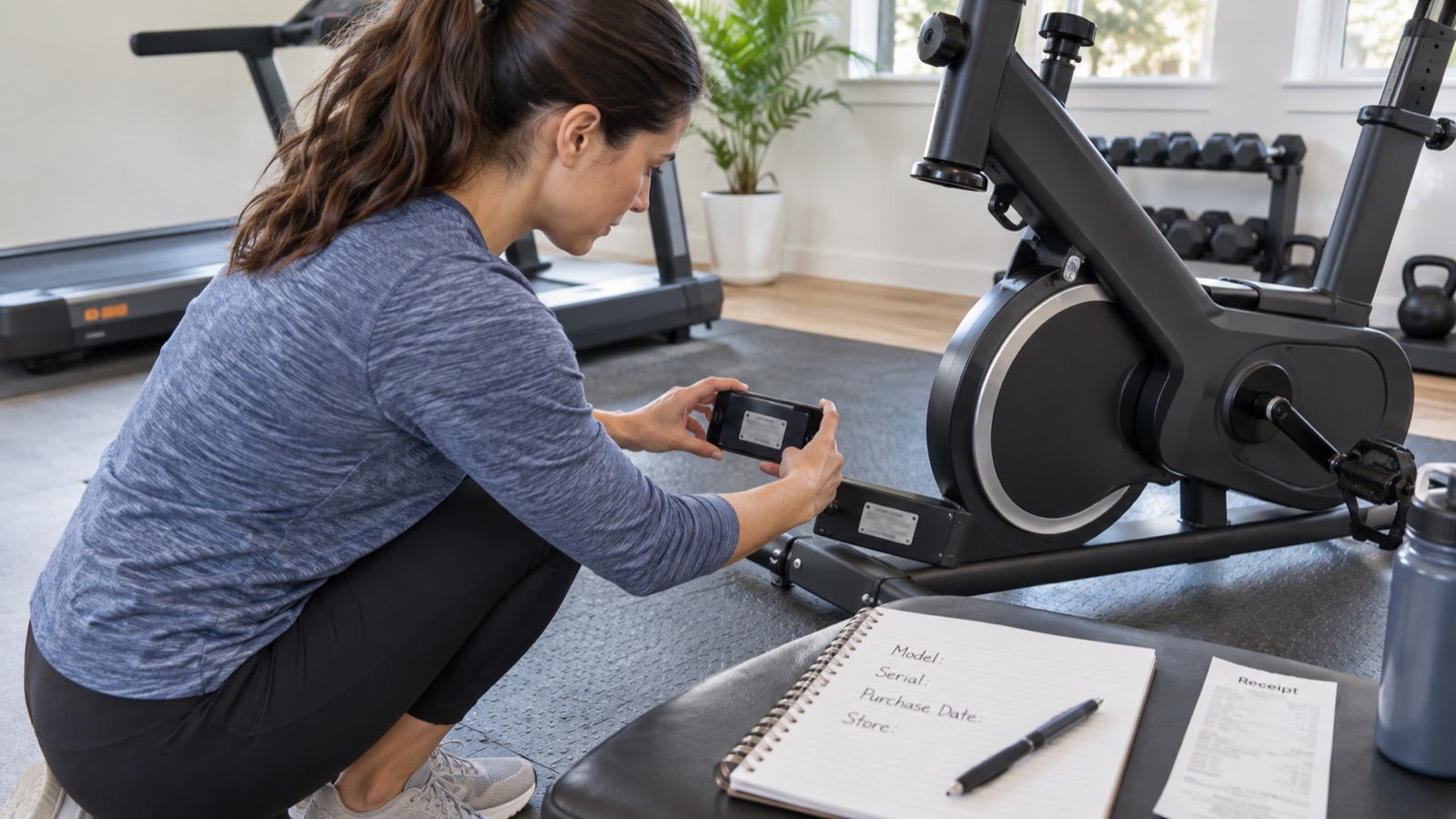
Collect the Identity Before You Search
- Photograph the entire product from several angles.
- Find the model and serial label. Check the frame near the power inlet, underside of the base, rear stabilizer, seat frame, console mast, battery compartment, and manual.
- Record brand, manufacturer or importer, model, serial prefix and range, manufacture date, color, dimensions, and distinctive parts.
- Save the receipt, marketplace listing, order email, seller name, and approximate purchase date.
- Do not remove labels or disassemble the product to find a number unless the manual provides a safe method.
Use a Three-Pass Search
| Pass | Example | Why it catches different records |
|---|---|---|
| Product type | treadmill; adjustable dumbbell; weight bench; exercise bike | The recall title may use a generic product name rather than the retail model |
| Brand and legal company | Brand on console; manufacturer or importer on label | A parent company may issue the recall under a different name |
| Model or prefix | T3x; TM523; first stable characters of a model | The affected models may be listed only in the notice description |
| Brand spelling variations | Full brand; shortened brand; former brand | Punctuation, spacing, and ownership changes can affect search results |
| Manufacturer safety page | Recall, safety notice, service bulletin | A company notice may add serial tools, parts, or updated remedy instructions |
If You Find a Possible Match
- Stop using the product if the notice says to stop immediately. Keep children and other users away.
- Match the exact product description, model, serial range, manufacture dates, colors, and label location.
- Read the hazard, incidents, consumer action, and remedy on the current official page.
- Use only the recall contact information in the official notice or the manufacturer's verified domain.
- Do not sell, donate, or give away recalled equipment.
- Document calls, case numbers, shipping, technician visits, replacement parts, and remedy completion.
Recall remedies can change when companies close or programs are updated. CPSC notes that remedy information may be revised, so use the live notice rather than an old screenshot.
If the Search Returns No Match
- Search broader terms and shorter model prefixes.
- Check CPSC Recalls, SaferProducts.gov reports, Recalls.gov, and the manufacturer's recall or safety page separately.
- Search former company names and the importer shown on the label.
- Ask the manufacturer in writing whether the exact model and serial are covered by any recall, safety notice, or service campaign.
- Report a dangerous product or incident to CPSC through SaferProducts.gov.
Consumer reports on SaferProducts.gov are not the same as an official recall and CPSC does not guarantee the accuracy of third-party submissions. They are signals to investigate, not automatic proof of a defect.
Recall Check for Used Equipment
Run the search before paying or transporting the product. Reject equipment with a removed or unreadable identity label when the model cannot be verified. Ask whether a recall remedy was completed and request documentation; a replacement part visible in a photo is not enough unless it matches the official instructions.
Also inspect for non-recall problems such as cracked welds, frayed cables, missing safeties, bent pins, damaged power cords, swollen batteries, loose seats, unauthorized modifications, and incomplete hardware. A product can be unsafe without ever being recalled.
Sources and Manufacturer Guidance
Requirements can vary by product, model, and situation. These primary sources informed this guide; official instructions for your exact product and current authoritative guidance take priority.
Frequently Asked Questions
-
Treadmills, exercise bikes, adjustable dumbbells, benches, cable machines, resistance products, weights, accessories, and connected equipment can all be subject to recalls or safety warnings.
-
No. Search terms may miss the record, the problem may not have produced a recall, or a current investigation may be incomplete. Inspect the equipment and act on dangerous symptoms regardless of database results.
-
Use the model or serial prefix for broad public searches. Compare the full serial only on the official notice, through the manufacturer's verified recall tool, or with the official recall contact.
-
Do not sell or give away a recalled product. Follow the official remedy and disposal instructions. CPSC states that federal law bars the sale of recalled products.
-
Use SaferProducts.gov to report a hazardous incident or safety concern to CPSC. Preserve photos, model information, purchase records, and a factual timeline.