Tech & Wearables

Best Gym Timers of 2026

A good gym timer is the difference between a workout that flows and one you keep interrupting to stab at your phone with sweaty fingers. If you train intervals at home—sprints in the garage, EMOMs in the living room, a Tabata finisher on the driveway—the right timer keeps the work and rest honest without becoming another gadget to fuss with. I’ve used phone timers, wall clocks, and a few overcomplicated boxes, and the best ones disappear into the session. Over the past six months, my team and I have put 14 gym timers through their paces.

The pattern was less about flashy features than basics: clear interval programming, easy one-handed starts, and alerts you can actually notice—vibration for quiet home workouts, volume for a noisy garage. We also weighed remote range, size, battery life, and whether the housing felt durable enough to survive a gym bag. Value came down to whether the extras earned their keep, and ease of use separated keepers from fiddly units. The picks below are grouped by how people actually train at home and in shared spaces.

Best For Simple set timing

Our Score 9.2/10
Body Sport Digital Timer

Body

Body Sport Digital Timer

  • Power 1 AAA (included)
  • Screen 1.5 in
  • Timing Count up and countdown
  • Mounting Magnetic back
Check Price on Amazon

Not every workout is intervals. If your version of a gym timer is a countdown for a plank hold or a stopwatch for a timed set, the Body Sport does that with three buttons and no menu to learn: count up, count down, one AAA in the box.

The magnet is the genuinely useful part. It holds to a rack upright or a fridge door, so the timer sits at eye level where you are working instead of on a shelf across the room, and the 1.5-inch display is easy to read at that distance. The beep is loud and it fires at zero and on every button press, which is fine in a garage and less welcome at 6 a.m. in an apartment.

The buttons deserve a mention for a less obvious reason: three of them, no lock, and easy to knock inside a bag, which starts a countdown you did not ask for. Set it down face-up and out of the pile and that stops happening. The rest of the time it is the timer you grab when you just need a number to count down and no interest in programming one.

Bottom Line

We keep this one for plain set timing rather than intervals — the magnet and the loud beep do most of the work.

Check Latest Price

Best Overall

Our Score 9.0/10
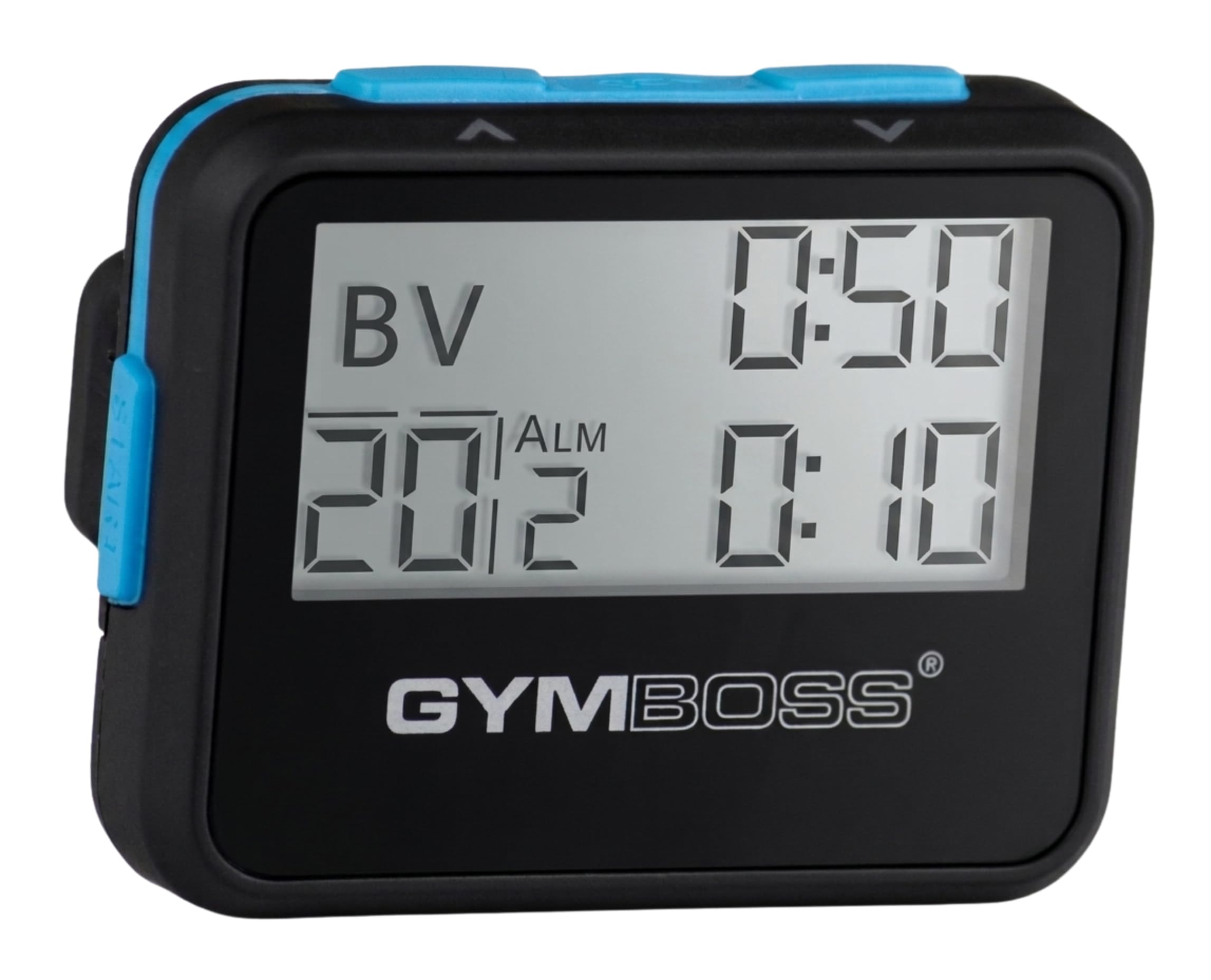
Gymboss Interval Timer

Gymboss

Gymboss Interval Timer

  • Power 1 AAA (not included)
  • Alerts Chime and vibration
  • Repeats Up to 99
  • Interval Range 2 sec to 99 min
Check Price on Amazon

A pager-sized interval timer that clips on and buzzes you through work and rest.

Most gym timing is one number repeated: 40 seconds of work and 20 seconds of rest, or a minute running and a minute walking. The Gymboss exists for exactly that. You set a work interval and a rest interval anywhere from two seconds to 99 minutes, tell it how many rounds to run, and it counts them with a chime, a buzz, or both. It is the size of an old pager, it weighs 35 grams, and it clips to a waistband or a collar, so the cue arrives on your body instead of from a phone face-down on the floor.

The vibration is the part we miss when we use anything else. During a set, a beep can vanish under a loud playlist; a buzz against your hip does not. Alerts can run one, two, five, or nine seconds, long enough to catch you mid-rep rather than chirping once while you are under a bar. Run-walk outdoors is where it makes most sense: switch to vibrate and nobody on the sidewalk turns around.

Programming stops at two intervals, so a five-station circuit with different work and rest at each stop is beyond it. That is a wall display's job. The screen is small and low-contrast, and reading it in a dim garage takes a second look. In practice you rarely need to, which is the whole point of a timer that counts for you.

The build is what you would expect at this size: plastic, with the clip and the battery door taking the abuse a gym bag hands out. Ours has been knocked against rack uprights more than once and the clip is the part we watch. One practical note about the box: the AAA is not in it, so put a spare in your bag before the first session and this thing disappears into the workout.

Bottom Line

This is the gym timer we send most people to: it clips on, buzzes through work and rest, and costs less than any of the wall displays here.

Check Latest Price

Best Value Wall Timer

Our Score 8.8/10
LUCORB Gym Timer 15-Inch

LUCORB

LUCORB Gym Timer 15-Inch

  • Modes Tabata, HIIT, FGB, 9 custom
  • Power USB-C adapter, must stay plugged in
  • Control Remote
  • Display 15 in, 2.9 in digits
Check Price on Amazon

Big, bright wall digits and a progress bar for less than the premium option.

The bar across the LUCORB display fills as the interval runs down, and it does more for pacing than the digits beside it. Halfway through a round you glance up and see how much is left without reading a number or doing arithmetic against the clock. The screen is 15 inches wide with 2.9-inch digits, six brightness levels, and an auto-dimming sensor, so it is readable at noon and not blinding at 6 a.m.

Around that display sits more than most people will ever use: Tabata, HIIT, and FGB presets, nine custom intervals you define yourself, plus a plain countdown, stopwatch, and a 12/24-hour clock. We were glad to find the remote has real buttons and a layout that makes sense, because it is how you change anything once the unit is on the wall. Programming takes a few minutes the first time; after that you are pressing a preset.

The cord is the catch. This is a plug-in display, and the internal battery holds your settings through a power cut and nothing more, so the mounting spot is decided by an outlet as much as by sightlines. The alarm is fine in a quiet room and can lose out to a loud stereo, so treat the display as the primary cue and the beep as a bonus. Those are conditions rather than flaws, and once the unit is placed this is the wall timer we recommend before spending more.

Bottom Line

The wall display we point most home gyms to: big digits, a progress bar, and presets, provided there is an outlet where you want it.

Check Latest Price

Best Portable Timer

Our Score 8.8/10
ANJANK Portable Gym Timer

ANJANK

ANJANK Portable Gym Timer

  • Modes Tabata, FGB, EMOM, 3 custom
  • Battery Up to 40 hours per charge
  • Display 6.89 in, 2.05 in digits
  • Mounting Magnet and lanyard
Check Price on Amazon

Rechargeable, magnet-backed clock you can carry from garage to park.

The remote for the ANJANK lives in a slot in the back of the clock. It sounds like a gimmick until you have spent a session patting pockets for one, and the arrangement solves the thing that kills most remote-controlled timers: the remote goes missing. Pop it out to change a round, click it back, and it is where you left it.

At under seven inches wide, this is the timer that leaves the house. The back is magnetic, so it sticks to a rack upright, a fridge door, or the tailgate of a truck, and there is a lanyard in the box for anything that is not steel. The built-in battery is rated at up to 40 hours and charges over USB-C, which in practice means topping it up every few weeks rather than hunting AAAs.

Mode count is where it beats the pocket timers: Tabata, FGB, EMOM, countdown, count-up, stopwatch, and three custom slots, with 2.05-inch digits that read from a few feet away. Two things to know before ordering. The remote is short-range, so it is a from-the-rack convenience rather than a from-across-the-gym one. And charge-holding is the part to watch over time — buy where the 18-month warranty is easy to claim, because a cell that stops taking a charge is the failure this design invites.

Bottom Line

Our pick for a timer that travels: it sticks to a rack, runs for weeks on a charge, and carries every preset a garage session needs.

Check Latest Price

Best For Tight budgets

Our Score 8.8/10
BTBSIGN LED Interval Timer

BTBSIGN LED

BTBSIGN LED Interval Timer

  • Control Remote only
  • Display 11 in, 1.5 in digits
  • Presets Tabata and FGB
  • Stored Programs 10 programs, 9 intervals each
Check Price on Amazon

There are no buttons on the BTBSIGN. The remote is the whole interface, and the listing warns you not to lose it. In practice the remote is also the weak point: it can take a second and third press before the timer responds, and if it gives out entirely the display has no other way in. That is hard to design around, and it is why this sits below the LUCORB despite costing less.

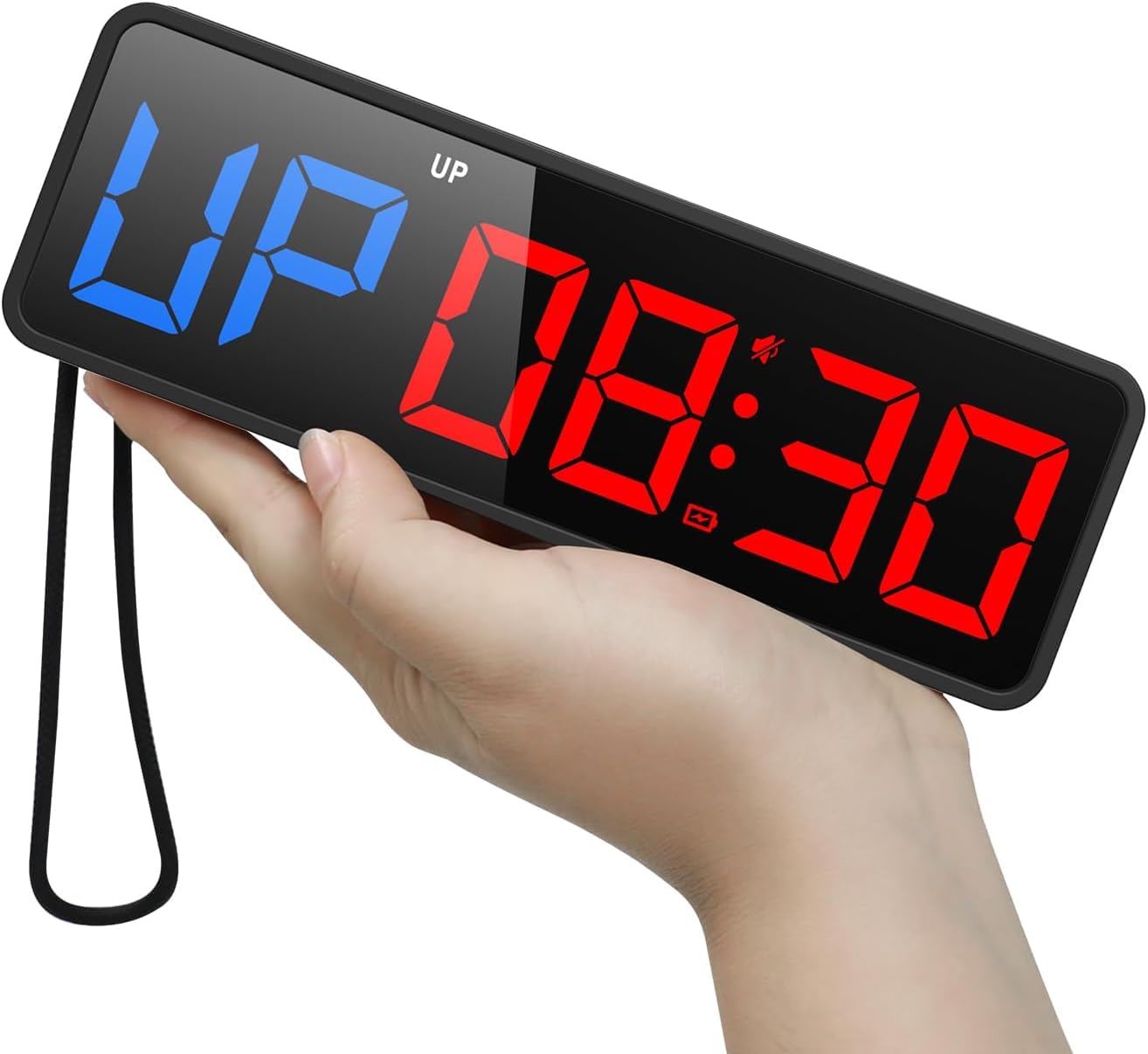
The rest is reasonable for the money, and when a press does register everything happens instantly. Tabata and FGB each have a dedicated button, ten stored programs with nine intervals apiece cover most class formats, and the blue-and-red digits are bright. Just do not expect a big board: at 1.5 inches the digits read at close range rather than across a warehouse, and the 11-inch unit is smaller than the photos suggest. Set against the LUCORB, you are trading digit height and a dependable control for the savings.

Bottom Line

A cheap way onto the wall if the remote never leaves the shelf — its buttons are the one weakness we cannot design around.

Check Latest Price

Best Wall Display for a Home Gym

Our Score 8.6/10
Flex Timer Home Edition

Flex

Flex Timer Home Edition

  • Audio Fades paired music for cues
  • Power Plug-in supply
  • Control Bluetooth app, iOS and Android
  • Display 13 in, 2.3 in digits
Check Price on Amazon

App-programmed wall display that fades your music for every cue.

Every other wall display here is driven by a remote or a row of buttons. The Flex Timer is driven by your phone. You open the app, pick a saved workout or build one with whatever work, rest, and round lengths you want, name it, and start it. The 13-inch display does the counting, with 2.3-inch digits and an aluminum body that reads as gym equipment rather than a scoreboard.

What sold us is the music handling. Paired over Bluetooth, the timer fades your playlist down for each cue and brings it back up, so the round change cuts through a stereo you could never shout over. That one behavior does more for a garage session than any number of presets, and it is why the price is easier to justify than it first looks. Customisation is deep as well: Tabata, EMOM, and standard interval presets sit alongside anything you build, and if you coach, the app can link several displays so every clock in the room counts together.

The trade is control. There is no remote and nothing to press on the unit, so if the phone is dead or a visitor wants to run a round, they need the app paired and awake. It is also the most expensive timer here by a wide margin. We found the setup happens before you start rather than between rounds, though, and that is the difference between a timer you operate and one you ignore.

Bottom Line

Worth the premium for a dedicated home gym — the app makes programming painless and the music fade keeps every cue audible.

Check Latest Price

How We Tested Gym Timers at Home and in the Gym

We started by scanning reviews and spec sheets for timers with interval programming, vibration alerts, remote controls, and batteries that could last more than a few sessions, then narrowed by size, price, and whether the controls looked usable mid-workout. The final field was 14 timers, tested over six months.

Each timer lived in my garage gym for early-morning sprint intervals and after-dinner conditioning, moved into the living room for floor work and mobility sessions, and came along for a few shared workouts with a partner. I programmed the same warm-up, work/rest, and cool-down blocks on every unit, then timed how long setup took with one hand and whether I could read the display from a few feet away. During quieter sessions I relied on vibration and checked if I could feel it through a hoodie; in noisy sessions I judged loudness against a fan and dropped dumbbells.

We also tested remote control range from across the room and through a doorway, measured footprint on a shelf and floor, and noted battery life after repeated daily use. Durability got a simple treatment: each timer rode in a gym bag, got knocked off a low shelf, and sat through sweaty-hand button mashing. At the end, we compared what each unit cost against the features we actually used, because a timer with a dozen modes is poor value if you only ever press start and reset.

How to Choose

Pick the format around where you train

A clip-on pager goes on a waistband or collar and travels with you, which makes it the right choice for run-walk, outdoor intervals, and any session that moves between stations. A magnetic mini clock sticks to a rack upright or a fridge door and needs no installation at all. A wall display needs a wall, sightlines, and almost always an outlet.

Here is the trap: battery backup on a plug-in display usually means your settings survive a power cut, not that the unit runs cordless. Read that line before you decide where it hangs, because a timer you have to walk over to is a timer you stop using.

Decide how the cue should reach you

Beeps and vibration do different jobs. A beep is right when the timer is across the room; vibration is right when the timer is on you and the music is loud. The pocket timers here give you both, with adjustable alert length, and the better wall units fade paired music so the cue cuts through.

If you train in a shared gym or a thin-walled apartment, vibration is also the courteous option. Don't buy a beep-only timer for a room with a stereo, and don't buy a buzz-only timer for a wall.

Match the programming to your session

Two intervals on repeat cover most training: work and rest, or run and walk. Circuits with different work and rest at each station need a unit that stores several intervals, which means a wall display or an app-controlled one.

Presets earn their place if you actually use them, since a one-button preset saves a menu dive between rounds. The real trap is buying maximum programmability and then spending the first minute of every round setting it up. If you rebuild the session every time you train, an app beats a remote.

Check the digits, the power, and the wear points

Digit height matters more than the screen size in the listing. The wall units here run from 1.5 to 2.9 inches, and that gap is the difference between reading the clock from the far side of a rack and squinting at it from a few feet away.

On power: AAA is easy to top up and easy to forget, rechargeable is convenient until the cell stops holding, and a plug-in never dies but never moves. Then look at the parts that fail — the clip, the buttons, the battery door. These live in gym bags and get knocked against racks.

Frequently Asked Questions

Final Verdict

The Gymboss is the timer we send most people to buy, and the reason is placement: it rides on you, so the cue reaches you wherever you are in the room or on the road, and it costs less than any of the wall units here.

If your sessions happen in one spot with a stereo running, a wall display serves you better. Choose the LUCORB when there is an outlet where you want the clock, or the Flex Timer when you want the programming handled from your phone and the music to fade for every cue.