Tech & Wearables

Best Bike Computers of 2026

A bike computer has one job: turn a ride into numbers you can trust without making you babysit the device. That sounds simple until you’re squinting at a washed-out screen in direct sun, waiting for a sensor to pair, or wondering whether the elevation gain is real or a generous guess. I’ve had rides where a phone in a jersey pocket was less annoying. The best units fix that friction — they mount quickly, show the important numbers at a glance, and keep recording when the road turns rough or the sky opens up. Price matters, but only after the basics work.

Over the past eight months, my team and I logged miles with 10 bike computers on commutes, gravel loops, and long weekend rides. We mounted each one ourselves, paired phones and sensors, and rode through glare, rain, and cold mornings. The differences weren’t in the spec sheets; they showed up in how quickly setup made sense and whether a unit still worked after a wet ride. Below are the ones that earned their handlebar space.

Best Premium

Our Score 9.4/10
Garmin Edge 1050

Garmin

Garmin Edge 1050

  • Screen 3.5 in. color touchscreen
  • Weight 5.7 oz
  • Battery Up to 20 hrs (60 saver)
  • Storage 64 GB
Check Price on Amazon

A 3.5-inch color touchscreen, on-device routing and 60-hour battery-saver mode.

The Edge 1050 is the most expensive computer here by a wide margin, and the only one that feels like a small tablet bolted to your bars. The 3.5-inch color touchscreen is genuinely bright, the body weighs 5.7 ounces, and you feel both facts the first time you pick it up.

It earns the money in the map. Courses can be built on the device with a finger rather than a phone, road surface type shows while you plan, and hazard alerts arrive from other riders. GroupRide adds in-ride messaging, live location and incident detection through Garmin Connect, and the built-in speaker makes prompts audible over wind noise.

We were surprised by how quickly we stopped noticing the weight, and by how much of the interface lives on the glass. That is the weak point in weather: a wet screen can stop registering taps, and there is no menu you can drive blind by feel. In the dry, dragging a map around with a thumb is far quicker than clicking through pages.

Battery is rated at 20 hours in demanding use and up to 60 in saver mode, and 64 GB leaves room for regional maps stored on the device. Between this and the 540 the question is simple: do you want the map under a finger, or a button you can hit in the rain?

Bottom Line

The premium pick: the biggest, brightest screen here and the deepest navigation, built for riders who plan and follow routes on the unit itself.

Check Latest Price

Best for Simple Navigation

Our Score 9.0/10
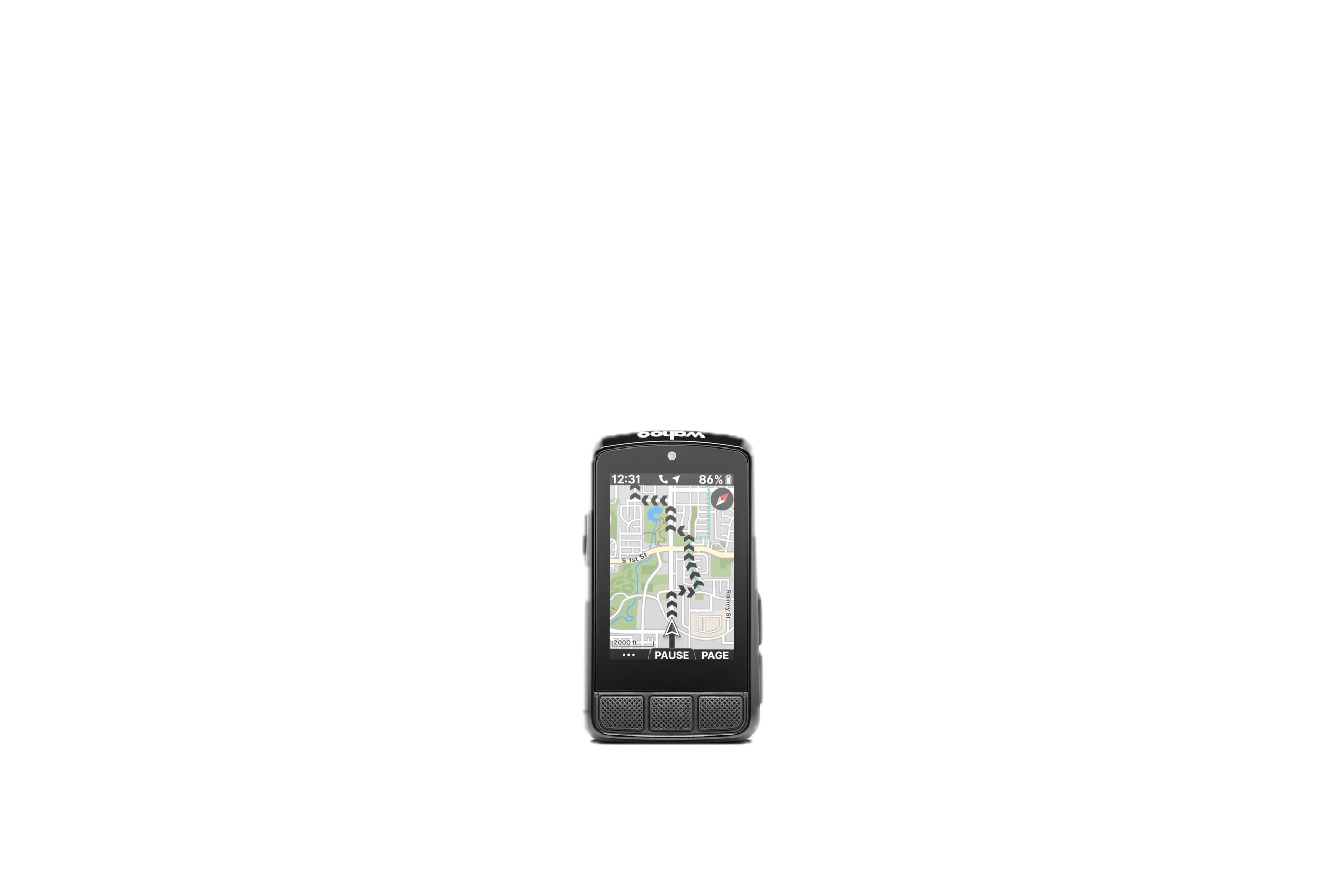
Wahoo ELEMNT Bolt V3

Wahoo

Wahoo ELEMNT Bolt V3

  • Screen 2.3 in. LCD
  • Weight 2.96 oz
  • Battery Up to 20 hrs
  • Navigation Turn-by-turn, on-device routing
Check Price on Amazon

Turn-by-turn routing and radar pairing with simple buttons and 20 hours.

The Bolt's 2.3-inch screen is the smallest here, and beside the Edge 1050's 3.5-inch panel it looks like a different species. A ride or two settles the question: contrast is high, the fields are laid out for a glance, and you read it in the time it takes to look down and up again.

The buttons are the part we did not expect to care about. Each gives a positive click you can feel, so there is no touch layer to fight with rain or thick gloves. Setup is equally unfussy: routes saved in Strava, Ride With GPS or Komoot download automatically, turn-by-turn prompts are generated from GPX and TCX files, and Take Me To builds a route to a point you tap on the map.

Radar and smart lights pair over ANT+ and their warnings appear on the same screen, which matters more on busy roads than any training metric. The battery is rated at 20 hours, enough for a long day out but not a full weekend, and syncing occasionally wants a second attempt before it catches.

At 84 grams and IPX7 it disappears on the bars in the rain. What it gives up in screen area it gives back in simplicity: there is nothing on this unit that needs a manual to work out.

Bottom Line

For riders who want turn-by-turn and radar alerts without a touchscreen, the Bolt is the easiest navigation unit here to live with day to day.

Check Latest Price

Best Overall

Our Score 8.8/10
Garmin Edge 540

Garmin

Garmin Edge 540

  • Screen 2.6 in., button controlled
  • Weight 2.8 oz
  • Battery Up to 26 hrs (42 saver)
  • Navigation Multi-band GNSS, ClimbPro
Check Price on Amazon

Maps, training guidance and multi-band GPS with buttons instead of a touchscreen.

The Edge 540 is built for the rider who wants maps, structured training and every sensor on the bike reporting to one screen, and who does not want to pay touchscreen money to get there. The 2.6-inch display is button-controlled, positioning runs on multi-band GNSS, and Garmin rates the battery at 26 hours in demanding use or 42 in battery-saver mode. ClimbPro shows remaining ascent and grade on any ride, not only on a loaded course, and daily suggested workouts adjust to your training load.

What kept us coming back is how little we had to think about it once a ride started. Satellites locked quickly and held under tree cover, the screen stayed readable in direct sun, and a heart-rate strap and cadence sensor paired without a menu safari. Battery has never been the reason a ride ended.

The buttons are the trade-off. Garmin's menus take a few rides to learn, and the data fields are small enough that reading four at once at speed takes practice. That is setup-day friction rather than a riding problem: build two or three pages the way you like them and the 540 becomes a glance-and-go device.

ClimbPro is the feature we reached for most. Knowing the remaining ascent and the current gradient on screen changes how you pace a long climb, and getting it without loading a route first is the difference between a training tool and a navigation tool.

Bottom Line

For riders who want maps, training guidance and every sensor on one screen, the Edge 540 is the one we recommend: it does the whole job without charging a touchscreen premium.

Check Latest Price

Best Value GPS

Our Score 8.8/10
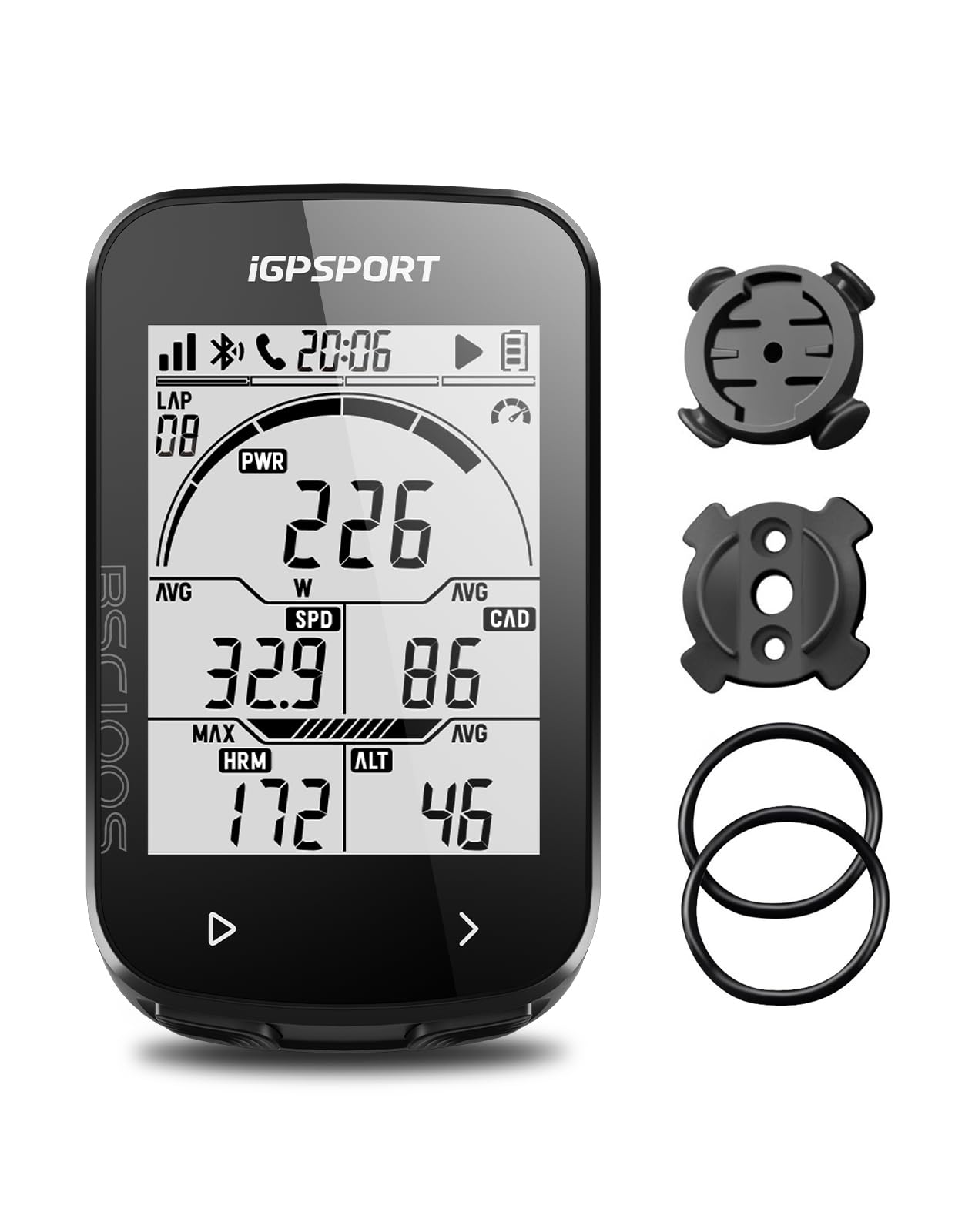
iGPSPORT BSC100S

iGPSPORT

iGPSPORT BSC100S

  • Screen 2.6 in. anti-glare LCD
  • Battery Up to 40 hrs
  • Positioning Five-satellite GPS
  • Water Rating IPX7
Check Price on Amazon

The cheapest way here to get GPS, ANT+ sensors and Strava sync.

Two-point-six inches is the number that matters here. The BSC100S puts an anti-glare screen that size on the bars and fills it with big, high-contrast figures, which is why we think it is the value pick of this group: readable speed and distance at a glance for a budget outlay, with no wheel magnet to fit and no spoke sensor to knock out of line.

The rest of the package holds up better than the price suggests: 40 hours on a charge, IPX7 sealing, five-satellite positioning, ANT+ and Bluetooth, and more than 40 data fields. The phone app is the part we ended up using most, because it sets the unit up far more easily than the buttons do and pushes .fit files straight to Strava and Komoot. Budget for a USB-C cable, since one is not in the box.

Setup is where it wobbles. The printed instructions are thin, phone pairing can take a couple of attempts, and a unit that freezes mid-ride is not unheard of. Most of that is a first-evening problem, but it is a real one on a cold evening with the bike upside down.

The rubber-band cradle holds the 120-gram body still on rough tarmac, and the buttons give a clean click through winter gloves. What we miss is a barometer, since elevation comes from GPS alone — the Bikevee covers that gap for less.

Bottom Line

A lot of computer for the money: five-satellite GPS, ANT+ sensor support and Strava uploads on a 2.6-inch screen that stays readable at speed.

Check Latest Price

Best Budget Wired

Our Score 8.8/10
CATEYE Velo 7

CATEYE

CATEYE Velo 7

  • Screen 2.17 in. LCD
  • Sensor Wired speed sensor
  • Weight 1.12 oz
  • Battery Up to 3 years (alkaline)
Check Price on Amazon

Speed, distance and a three-year battery with no charging and no GPS.

Three years on a single alkaline cell is the headline, and it is the reason this computer stays on bikes that get ridden twice a month. There is no cable to lose and no app to sign into: the wired sensor zip-ties to the fork, you enter the wheel circumference once, and the Velo 7 starts and stops counting on its own.

At 1.12 ounces with a 2.17-inch LCD it is barely visible on the stem. Current, maximum and average speed, trip and total distance, elapsed time, a pace arrow and a clock cover what most recreational riders actually look at, and auto start/stop means a red light does not drag your average speed down — a small thing we appreciate more with every stop.

The limits are worth knowing up front: no backlight, so this is a daylight computer; no cadence; and the wire from fork to bars has to be routed tidily or it looks like an afterthought. Instructions are the usual Cateye shorthand, so measure your wheel rather than trusting the chart on the box.

A two-year warranty and a bracket that fits stem or handlebar finish a package that asks nothing of you after installation.

Bottom Line

The simplest thing here that works: speed, distance and a battery that lasts years, for riders who do not want to think about charging.

Check Latest Price

Best For Cable-free basics

Our Score 8.8/10
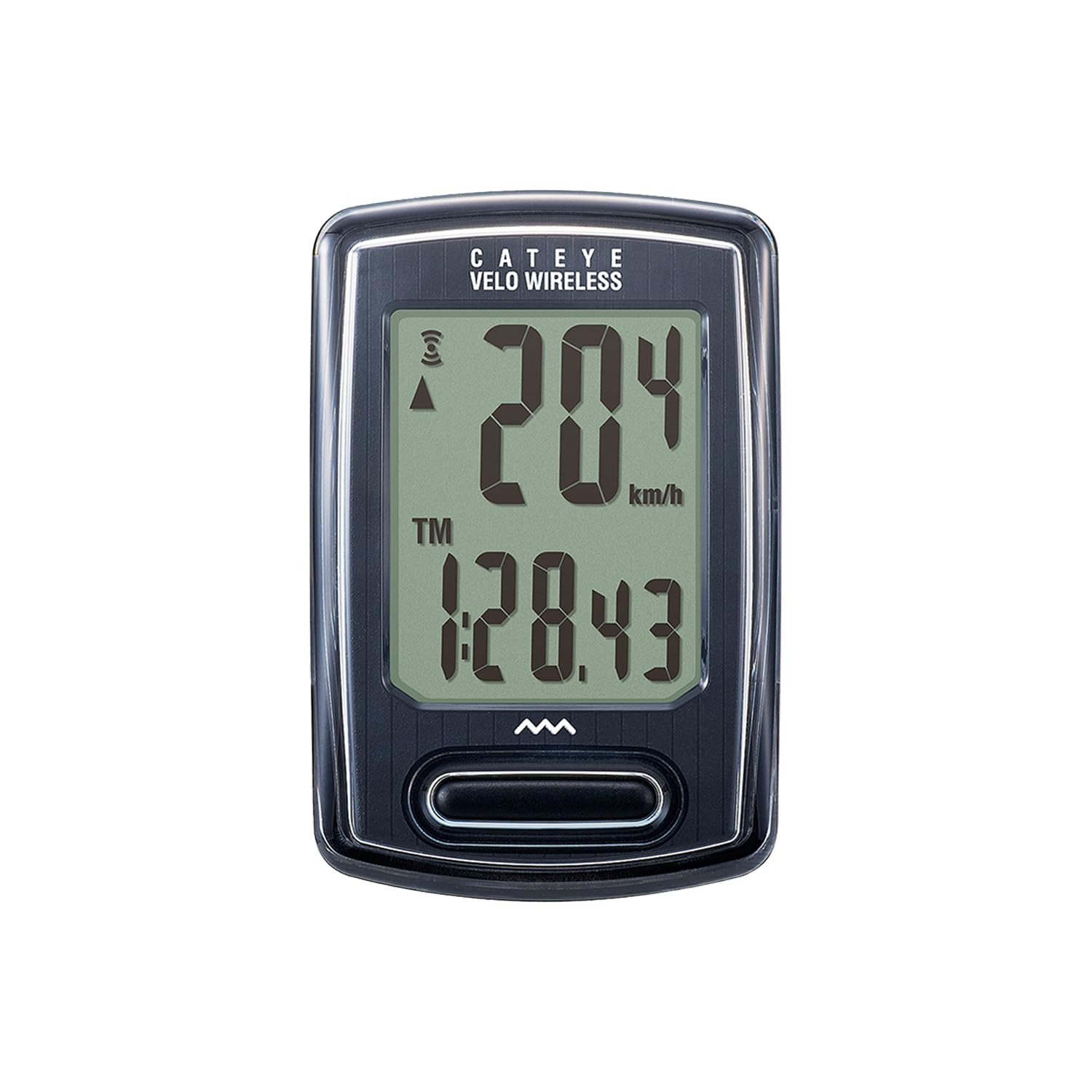
CATEYE Velo Wireless

CATEYE

CATEYE Velo Wireless

  • Screen LCD, single button
  • Sensor Analog wireless, 70 cm range
  • Functions Speed, distance, calories, clock
  • Water Rating IP65
Check Price on Amazon

No GPS, no app, no charging port, no pairing. The Velo Wireless counts wheel revolutions with a magnet and a fork-mounted sensor, and if your rides are short, local and repeated, that is a feature rather than a limitation.

The display cycles with a single button and auto start/stop handles the coffee stop without you touching it. Calories, elapsed time and a clock come along for the ride, and the odometer can be set by hand, so changing the battery does not wipe your totals.

One button and no menus to learn is most of the appeal: there is nothing to configure once wheel size goes in, and the coin cell lasts about a year rather than asking for a cable every few rides. IP65 covers rain and 1.12 ounces disappears on the bars.

The analog signal is the weak spot. It is rated for 70 cm and works on the front wheel only, and it can drop out near interference, so mount the sensor close and keep the head unit inside range. Do that and it behaves.

Bottom Line

For short local rides where you want speed and distance and nothing else, this is the least fussy computer on the page.

Check Latest Price

Best Battery Life

Our Score 8.6/10
COOSPO BC107

COOSPO

COOSPO BC107

  • Screen 2.4 in. FSTN, auto backlight
  • Battery Up to 80 hrs
  • Connectivity ANT+, Bluetooth app
  • Water Rating IP67
Check Price on Amazon

Eighty hours and ANT+ sensor pairing for riders who go long between charges.

Eighty hours of recording is the figure that makes the BC107 interesting, and it is why this is the computer we point at riders doing long days and multi-day trips. A 2.4-inch FSTN screen with an automatic backlight, IP67 sealing and ANT+ support for heart rate, speed, cadence and power round out a budget package.

Setup through the CooSpoRide app is the better route than the buttons: wheel size, units and time zone take a minute, and finished rides go to Strava as .fit files over Bluetooth. The screen is easy to read in sun, the backlight comes on by itself under trees, and ANT+ sensors pair without drama.

Two things to know before you buy. The display cannot show current and average speed at the same time, which is an odd omission on a computer built for long rides, and the phone connection is the flaky part — an upload that needs a second or third attempt is normal.

Battery life is where it wins. On a trip where you are charging a phone, a head unit and lights from one battery bank, being the device that does not need the cable matters more than a color map.

Bottom Line

An 80-hour battery and ANT+ sensor support make this the long-ride pick, provided you can live without seeing current and average speed together.

Check Latest Price

Best For Elevation data

Our Score 8.6/10
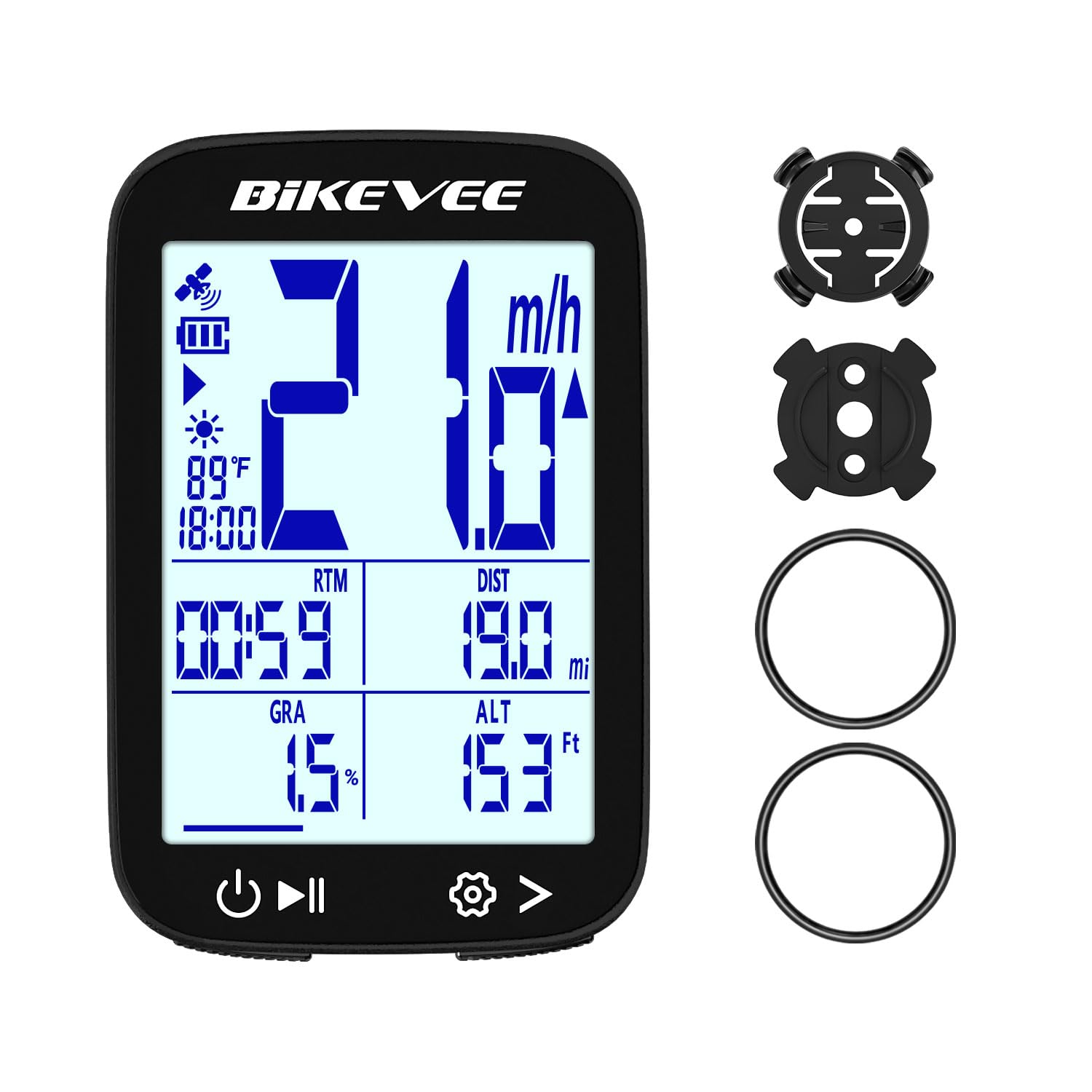
Bikevee GPS Computer

Bikevee

Bikevee GPS Computer

  • Screen 2.4 in. LCD
  • Weight 1.76 oz
  • Battery Up to 28 hrs
  • Elevation Altitude, gradient, ascent
Check Price on Amazon

A barometric altimeter is unusual at this end of the range, and it is the detail that makes the Bikevee worth a second look. Altitude, gradient and accumulated ascent come from a pressure sensor rather than GPS triangulation, so the climbing numbers do not wander when the satellites are having a bad day.

The rest is sensible: a 2.4-inch LCD with an automatic backlight, no wheel sensor or magnet to fit, auto start and stop, sleep after inactivity, 28 hours from a 650 mAh cell over USB-C, IPX7 sealing and 50 grams on the bars.

The climbing data is what we checked most, and it is the reason to pick this over the other cheap GPS units here. Satellite lock takes a minute on a normal start and longer on a cold start among buildings, so switch it on before you roll out.

Two irritations. The rubber-ring mount shifts on rough ground, so run it over tape or rely on the safety strap, and a long press on the right button clears everything, odometer included. Neither is a deal-breaker at this price, but both catch you once.

Bottom Line

Elevation data, 28 hours and a 50-gram body: the budget GPS unit for riders who care about climbing numbers.

Check Latest Price

Best For Budget navigation

Our Score 8.4/10
GEOID CC600

GEOID

GEOID CC600

  • Screen 2.4 in. color
  • Battery Up to 24 hrs
  • Navigation GPX routes with turn reminders
  • Connectivity ANT+, Bluetooth, Wi-Fi
Check Price on Amazon

Route navigation is usually the line between a budget computer and a premium one, and the CC600 is the exception in this group: a 2.4-inch color screen, GPX route uploads, turn reminders that pop up and zoom as the junction approaches, and rerouting when you leave the line.

Around that, GEOID has packed in Wi-Fi and Bluetooth for sync and firmware updates, five-satellite positioning with an AGNSS assist claimed to cut the first fix to around five seconds, ANT+ for up to eight sensors including Di2 and eTap shifting, and a 24-hour battery in a 2.61-ounce body.

We were struck by how much easier the color screen is to follow than a monochrome one: the routing prompts are legible at speed and the figures are big. The friction sits in the menus. Initial setup and pairing take an evening, and the interface is not the sort you learn by accident.

Treat it as a first navigation computer rather than a replacement for a premium one. The rubber-band base is basic, but it held on broken tarmac, and the safety strap included in the box is a thoughtful touch at this end of the range.

Bottom Line

A color screen, GPX routes and rerouting for budget money: the least expensive way here to try real on-bike navigation.

Check Latest Price

How We Tested These Bike Computers on Real Rides

We built the shortlist by reading manuals, comparing mount options, screen sizes, sensor support, and current pricing, then narrowed it to 10 units that represent the midrange shopper. Over eight months, we rode them on the same commuter loop, a punchy gravel route, and longer weekend rides, swapping mounts between bikes so every unit saw similar conditions.

Out of the box, I timed how long each took to mount and set up solo, following the printed instructions before opening the app. We noted whether pairing a phone, heart-rate strap, and speed sensor was obvious or required guessing, and whether the unit reconnected on its own after a coffee stop. On the bike, we checked the display in direct sun, shade, and dusk, and tried changing data fields with gloves on.

To judge accuracy, we compared speed, distance, and elevation against a phone GPS and a measured out-and-back route, watching for jumps at tree cover and tunnel entrances. We rode through rain and rough pavement, then checked whether buttons, mounts, and wireless connections still behaved. Value came down to what was included: a sturdy mount, useful navigation, and sensor support without requiring extras.

How to Choose

Wheel sensor or GPS

A wheel sensor counts revolutions and multiplies by the circumference you entered. It needs no charging, works under trees and in tunnels, and records nothing about where you went. GPS derives speed and distance from your position, so it gives you a track, elevation and a Strava upload, at the cost of a satellite fix, a rechargeable battery and occasional patience while it locks.

If you ride the same loops and want to forget about the thing between rides, a sensor is the honest answer, and the Cateye Velo 7 does it with nothing to plug in. If you want a record of where you actually rode, GPS is the only option on this page that gives it, and the iGPSPORT BSC100S is the least expensive route in.

Readability beats screen size

The trap here is assuming bigger is better. A monochrome display like the Velo 7's has no backlight to wash out and reads perfectly in sun, while a color touchscreen that looks wonderful in the shop can stop registering taps once it is wet. What decides whether you can read a number at speed is contrast, character size and how many fields share the glass.

Work out how many numbers you actually need first — two or three covers most riding — then pick the unit that shows them big. The button-driven Garmin Edge 540 and the tiny Wahoo Bolt both read better at speed than their dimensions suggest, and a large panel crammed with eight fields is harder to use than a small one with three.

How much navigation you actually need

Navigation comes in three levels. Data-only GPS units such as the iGPSPORT BSC100S and COOSPO BC107 record where you went but will not tell you where to turn. Breadcrumb routing, which the GEOID CC600 offers, draws the line on a plain background with turn prompts and rerouting. Full basemaps, on the Garmin Edge 540 and 1050 and the Wahoo Bolt, put street names and road surfaces under you.

Pay for maps only if you ride unfamiliar roads. On familiar loops the extra screen is weight, battery and money you never get back; on an unsupported long ride or a new city, a breadcrumb line is worth more than every training metric on this page.

Battery, charging and running costs

Coin-cell computers run for a year or three and then take a battery you can buy anywhere. Rechargeable GPS units run 20 to 80 hours and want a cable. Treat the headline figure with suspicion: it is measured with the backlight low and no navigation running, so a 20-hour unit with a map on screen all day is not a 20-hour unit.

Check what comes in the box, too. The iGPSPORT BSC100S ships without a USB-C cable, and a second bike needs a second mount. If you ride several times a week, USB-C charging and a battery-saver mode matter more than a slightly larger screen.

Frequently Asked Questions

Final Verdict

The Garmin Edge 540 is the computer we recommend to most riders. Multi-band GPS, real maps, ClimbPro on every ride and 26 hours of battery cover everything from a Tuesday loop to a week of touring, and the buttons work when the weather turns.

If that outlay is too much, the iGPSPORT BSC100S delivers GPS, ANT+ sensors and Strava uploads on a bigger screen for a fraction of the cost. And if you want to follow routes without premium money, the GEOID CC600 is the only budget unit here that navigates.